

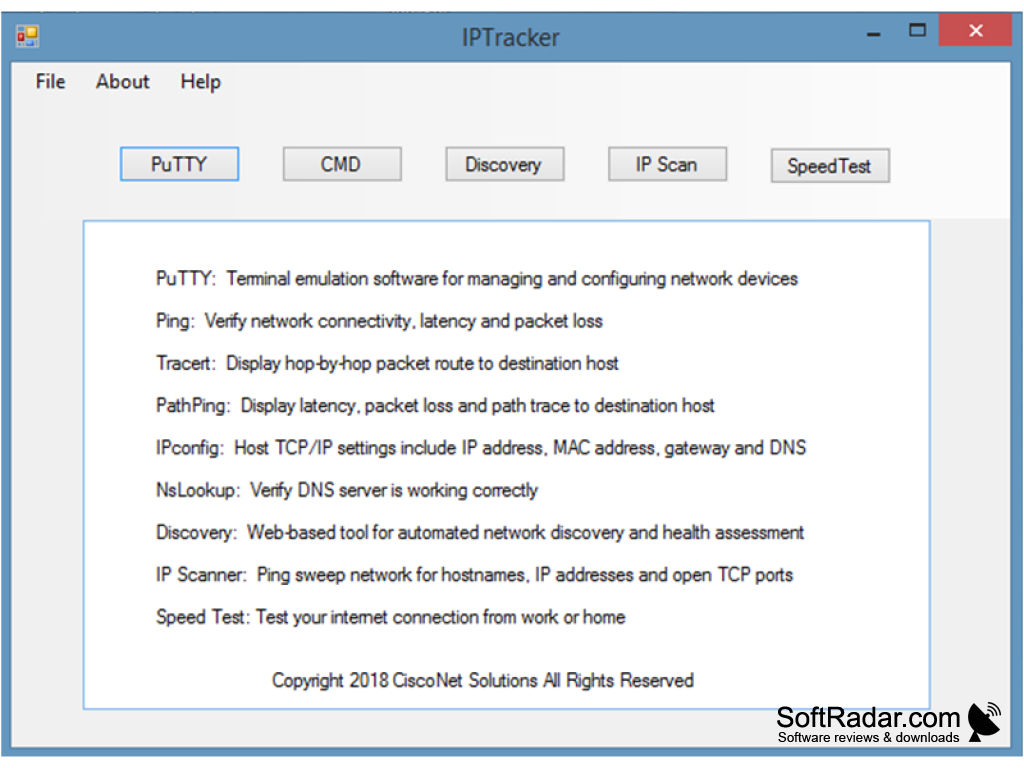
IPTracker is a desktop application that includes PuTTY, CMD (Command Line), network discovery, IP scanning, and speed tests. This easy-to-use tool makes troubleshooting and diagnostics a breeze. Its detailed instructions on how to use network tools also make it an excellent resource for training.
The application offers a variety of troubleshooting and diagnostic tools that are run from the command line. This allows network administrators to check the operational status of network connections, servers, and performance issues. Selecting CMD opens a window that automatically pings google.com (8.8.8.8) to verify internet connectivity.
IPTracker simplifies network troubleshooting and diagnostics through an intuitive, full-featured command line interface.
Features:
- PuTTY: This client software allows for secure network connections.
- CMD (Command Line): An integrated tool that provides a command line interface for troubleshooting and diagnostics.
- Network Discovery: This feature gives an overview of the network, including all connected devices.
- IP Scan: This tool enables the user to scan a network to identify all connected devices and their respective IP addresses.
- Speed Test: This feature measures the speed of the internet connection.
In conclusion, IPTracker is a versatile tool designed to make network troubleshooting and diagnostics easier. Its intuitive use makes it a preferred choice for network administrators of all levels. Whether it’s to verify internet connection status, discover devices connected to a network, or resolve network performance issues, IPTracker provides a powerful suite of tools to assist in these tasks.





Leave a Reply