

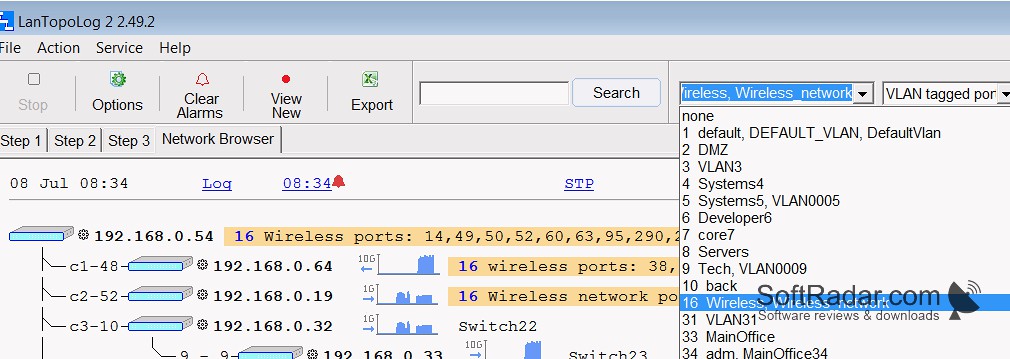
Mapping your network quickly and efficiently is a wonderful approach you can acquire with the help of LanTopology. The software provides access to the automatic discovery, visualization, and monitoring of the physical network topology. It provides a simple, user-friendly, and straightforward interface that helps users navigate the process in three easy steps.
It not only provides a network map but also gives alerts in case of any network failure. You can check and view details about IP address, ports, MAC address, etc. Using LanTopolog is lightweight, as it doesn’t slow down your computer’s performance. The software is also a safe way of monitoring and visualizing the physical network, as it doesn’t send your data anywhere.
Features:
- A shareware software for automatic physical network topology discovery, visualization, and monitoring.
- You’ll get a detailed and searchable map to detect and isolate any network failure within minutes.
- The visualization feature helps you check the switch port’s performance, such as its numbers, speed, etc.
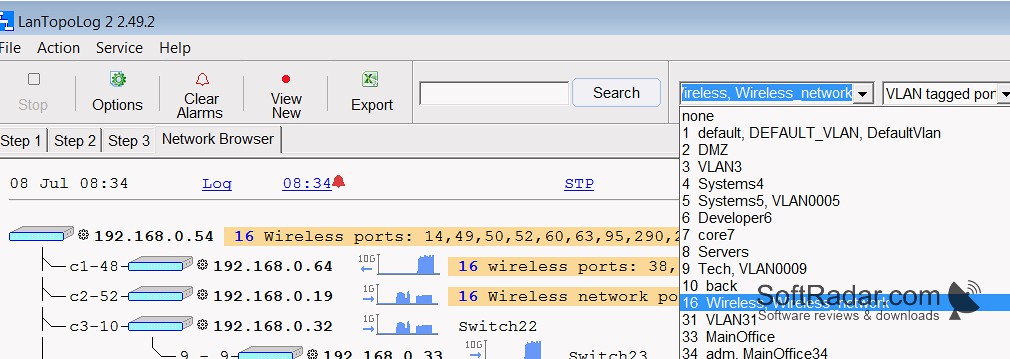
- It also displays the VLAN IDs and device manufacturer with the MAC address.
- The network monitoring tools allow you to monitor the live device state using ICMP.
- You can set alarms and notifications to notify you immediately about any network failure.
- With the easy-to-use interface, you can export the switch connection table and computer list to a CSV file, monitor network traffic, and set notifications when traffic thresholds are exceeded.
LanTopolog enables you to automatically discover, monitor, and visualize the physical network topology of a device in real-time with details.
Besides these, you can also monitor the network at a specific time and date. You can set sound notifications by describing the minimum number of computers with an internet connection and uploading WAV files. The pop-up messages will let you know about network failures. You can also set alerts for emails or run an application to quickly locate the error and fix it.
The latest version of LanTopolog is 2.51, compatible with Windows of all versions. You can check the feature by installing it for free and using it for a limited time with limited features. After buying it, you’ll have full access to discover, monitor, and visualize physical network topology.





Leave a Reply